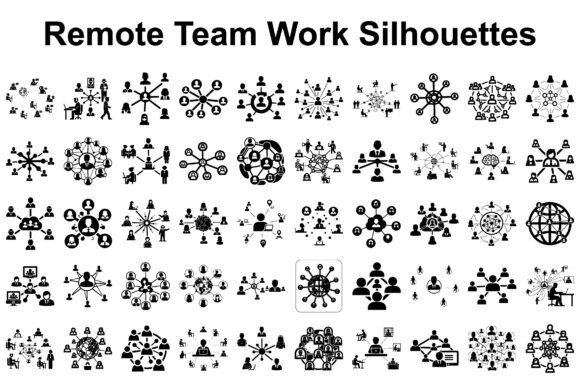
Remote Team Work Silhouettes Bundle
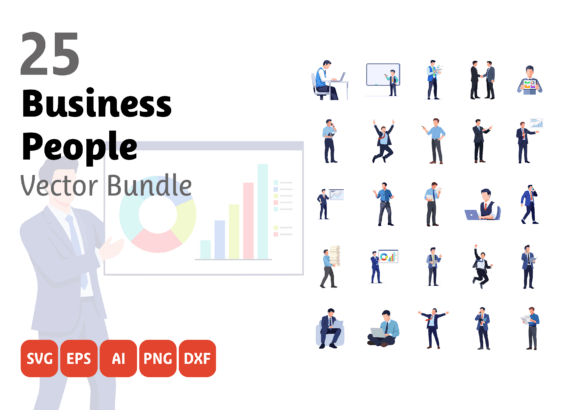
If you’ve ever stared at a blank slide while preparing a presentation about hybrid workflows—or struggled to find an image that *actually* reflects how your team collaborates across time zones without looking like stock photo cliché—you’re not alone. The Remote Team Work Silhouettes Bundle solves that quiet, everyday friction: it’s a collection of 200 ready-to-use visual assets (50 SVG, 50 PNG, 50 JPG, and 50 EPS files) built for people who need to communicate collaboration—not just depict it.
Where These Silhouettes Fit Into Real Workdays
Designers use them when building onboarding kits for distributed startups—pairing a silhouette of three people sharing a screen with clean typography to signal “we’re aligned, even when we’re apart.” Educators drop them into LMS modules showing how peer feedback works in asynchronous discussion boards. A marketing manager might layer one over a gradient background for a LinkedIn carousel post titled “What Remote Brainstorming *Actually* Looks Like.”
They’re especially helpful when realism gets in the way. Photos of remote teams often unintentionally emphasize isolation—someone staring at a laptop in a dim room, headphones on, coffee cold. These silhouettes sidestep that narrative. They focus on posture, proximity, gesture: hands pointing at shared documents, heads tilted toward one another during a video call, figures grouped around a virtual whiteboard. It’s subtle, but it shifts the emotional tone from “surviving remote work” to “building something together.”
Who Gets the Most Out of This Bundle—and Why
- Freelance designers & agencies: Clients rarely ask for “a vector of two people typing on laptops facing each other”—but they *do* ask for “clean, modern visuals for our new internal collaboration guide.” With scalable SVG and EPS files, you can resize without pixelation, recolor in seconds, and drop them straight into Figma or Adobe Illustrator. No hunting through subscription libraries or negotiating usage rights.
- HR and learning & development teams: Think about your next remote onboarding deck. Instead of generic clipart of handshakes or globes, you can illustrate “setting expectations across time zones” with a silhouette of three figures aligned under different clock icons—or “giving feedback asynchronously” with one person typing while another reviews on a tablet. It adds clarity without clutter.
- Small business owners and solopreneurs: If you’re creating a workshop PDF, a Notion template, or printable productivity worksheets, these silhouettes add visual rhythm without demanding design expertise. Drop a PNG into Canva, adjust opacity, and suddenly your “Daily Standup Checklist” feels intentional—not DIY.
- Educators and course creators: Online teaching tools thrive on visual scaffolding. Use a silhouette of someone presenting via Zoom alongside speaker notes. Show “collaborative editing” with overlapping laptop icons and shared cursors. Because all files are crisp at any size, they scale cleanly from mobile app thumbnails to printed classroom posters.
How People Actually Use Them (Beyond the Obvious)
A UX writer embedded a silhouette of a person holding a tablet with a chat bubble overlay into a micro-interaction prototype—just to signal “this button opens real-time messaging.” A nonprofit used the EPS files to cut vinyl decals for their co-working space lounge wall: “Your idea. Our bandwidth. Shared goals.” A podcast producer turned one of the meeting silhouettes into a sticker sheet for Patreon supporters—simple, brand-aligned, and instantly recognizable as “us.”
They also work well where color is constrained. Need monochrome assets for a corporate brand guide? All silhouettes render cleanly in single-color mode. Printing on recycled paper? The high-contrast edges hold up better than soft-shadowed illustrations. Even for accessibility-focused materials, the clear shapes support consistent iconography—especially when paired with alt text like “team reviewing shared document on dual monitors.”
Things to Keep in Mind Before You Start Using Them
These aren’t animated or interactive files—so if your project needs hover effects or motion, you’ll layer those separately. Also, while the bundle includes multiple formats, the JPGs are raster-based and best for web use at standard sizes; for large-format printing or intricate die-cutting, lean on SVG or EPS. And although each silhouette avoids cultural or gendered assumptions (no visible faces, neutral clothing, varied body proportions), always consider context: a silhouette of someone gesturing emphatically may read differently in a conflict-resolution guide versus a team-building newsletter.
One practical note: because they’re silhouettes—not detailed illustrations—they intentionally leave room for interpretation. That’s a strength when you want flexibility (e.g., using the same file for “team sync” and “client review”), but a limitation if your message hinges on specific tech (like showing a particular video conferencing UI). In those cases, pair them with minimal supporting graphics—like a small logo badge or interface element—to anchor meaning.
Why Scalability Matters More Than You Think
You’ll notice these files shine brightest when reused across touchpoints. That same SVG used in your pitch deck? It becomes a Cricut-cut sign for your home office door. The PNG version drops cleanly into a Slack status update (“In deep focus—back at 3 PM”). The EPS scales for a trade show banner without blurring. That cross-platform reliability saves time—but more importantly, it builds visual consistency. When your team sees the same clean, confident silhouette language in training docs, client proposals, and internal comms, it quietly reinforces culture: “We collaborate deliberately. We communicate clearly. We show up—even when we’re not in the same room.”
Industries Where This Bundle Fits Naturally
- Tech & SaaS companies: Illustrating product workflows, support documentation, or feature release announcements—especially when explaining how users coordinate across roles (dev + design + customer success).
- EdTech platforms: Visualizing student-instructor interaction, peer review cycles, or cohort-based learning models—without relying on dated classroom imagery.
- Consulting & coaching firms: Creating proprietary frameworks (like “The 4-Step Remote Alignment Method”) where custom visuals help differentiate offerings in crowded markets.
- Remote-first HR tools: Building explainer videos, onboarding animations, or internal campaign assets that reflect how work *really* happens today—not how it was pictured in 2012.
The Remote Team Work Silhouettes Bundle doesn’t try to replace photography or custom illustration. Instead, it fills a precise gap: the need for fast, flexible, respectful visual shorthand for digital teamwork—designed for people who value clarity over decoration, utility over trendiness, and humanity over hype.